Streamline Your Driving
TripDongle connects your car and smartphone to help you track, share, and use your trip data to save you money and time. It also lets you monitor your loved ones on road, keep people informed about the delays, and post your road trips on the social media.
Trip Tracking
Trip Data Logging
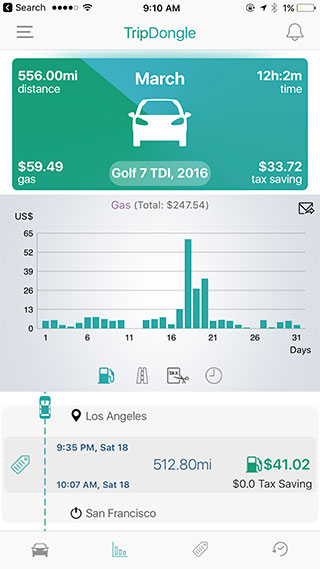
Automatically log every trip and visualize your driving history
Your driving data and history provide insights into how your time, money and miles are being spent. TripDongle captures and organizes this data automatically every time you drive the connected cars. It lets you measure and visualize the data on charts and graphs to better optimize or plan your future driving.
Read MoreTax Deduction
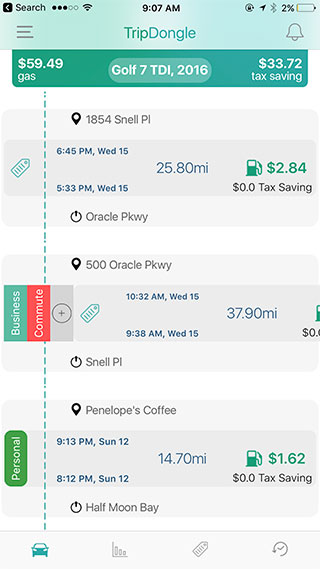
Tag the trips for business and generate tax deduction reports
If you drive for work, the miles and money spent on driving can be used to claim tax breaks and reimbursements. With TripDongle, tagging the trips for business is very easy. With a single swipe, each logged trip can be categorized and aggregated under your custom tags. Monthly and Yearly reports can be generated for submitting tax deduction and submitting expense reimbursement reports.
Read MoreCost Splitting
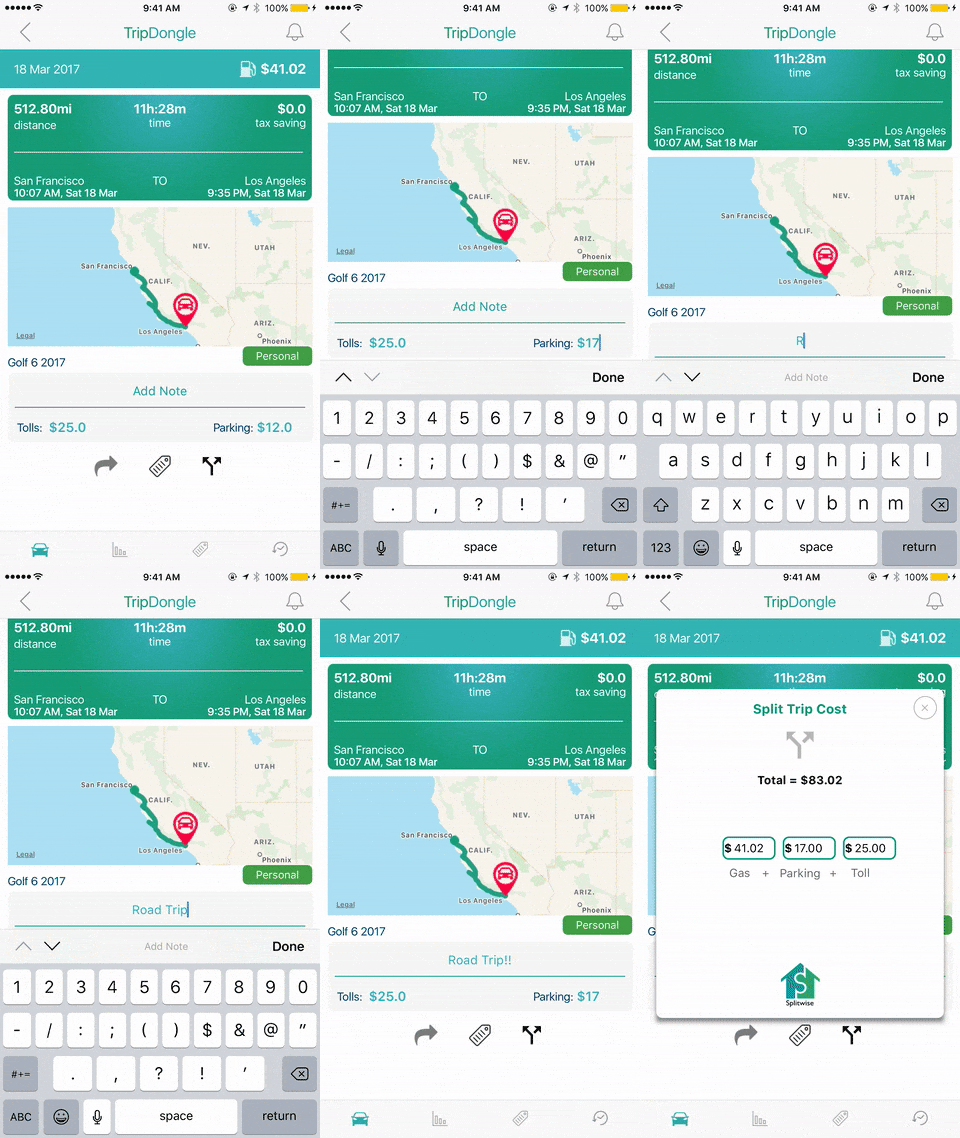
Split the trip cost with ride-sharers or car-poolers
If you are ridesharing or carpooling and share the driving cost, then TripDongle lets you post the trip costs easily to SplitWise, saving you the effort of gas receipt collection.
Read MoreTrip Sharing
Live ETA Tracking
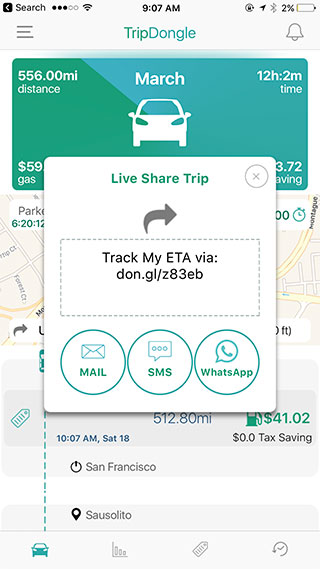
Send Live ETA tracking links to your contacts
Whether you are on the way to pick up someone or beating the traffic to make it to a meeting, keeping people informed about your live ETA can be very helpful. TripDongle lets you share live trip tracking links to your contacts on the go in just a few clicks in the app. You have full control over your privacy on every trip that you share.
Read MoreMonitor your family and friends
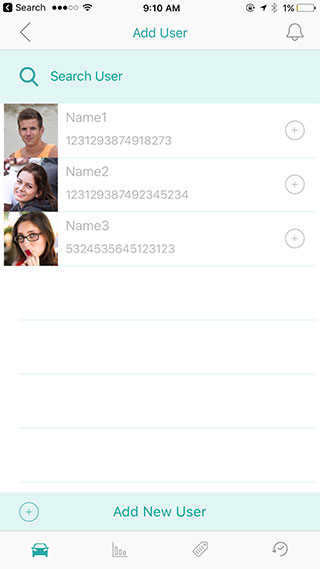
Monitor your family and friends' driving by being their shared users
Worried about where your kid is driving or where is his/her car parked now? You can be a shared user with your family members to access all the driving data they generate. Receive alerts if your family members drive faster than what you think is safe, or if they drive out of the geofence that you set up.
Read MoreSocial Media Sharing
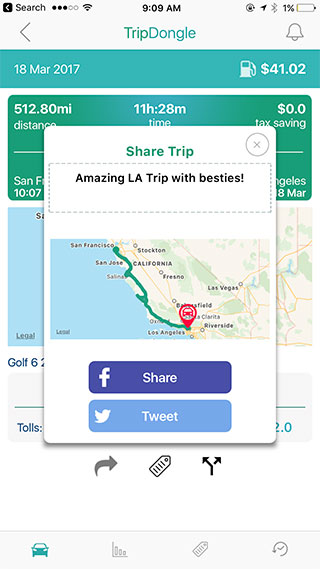
Post your road trips on social media
Did you do that amazing road trip with your friends or family? Post it on the social media! TripDongle app lets you post your trip's map on Facebook, Twitter and more.
Read MoreParking
Parking Location
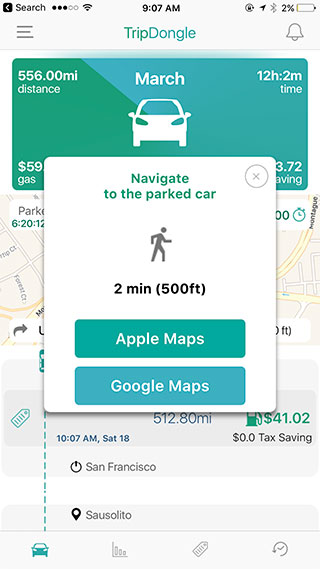
Automatically remember and navigate to car's parking location
It is easy to forget where you parked your car in a huge parking lot of a mall. TripDongle automatically remembers your car parking location and shows how far away you are from your car. It launches navigation guidance to reach your car if you are lost.
Read MoreParking Timer
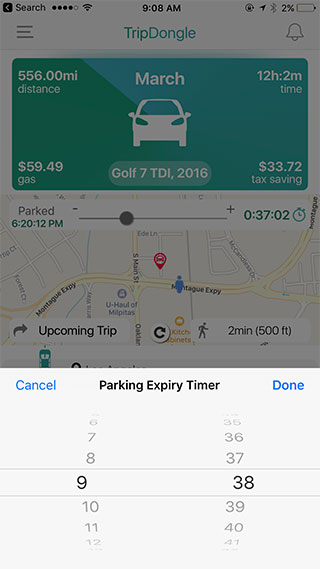
Set parking expiry timers and alerts
Have you ever gotten parking tickets for exceeding the parking timer duration? TripDongle not only remembers the parking time but also lets you easily set parking timer expiry countdown on the lock screen.
Read MoreHow Does TripDongle Work?
TripDongle looks like a USB drive and is powered by either your car's USB ports or a cigarette lighter USB charger. When the car is turned on and the TripDongle is powered, it communicates with your smartphone's app via Bluetooth Low Energy without interrupting your infotainment services. It provides important data points to the app such as the car's ignition on/off events and the driving status. This helps the app to use the smartphone's sensors to accurately and automatically track your trip's key data such as the GPS locations, speed, distance traveled and gas costs among others.
Why TripDongle?
Accuracy and automation are 2 big advantages of using the hardware guided technique. While the app uses several smartphone features such as the GPS, TripDongle hardware serves as an important guide that enables a completely automated user experience, accurately distinguishing your car's trips from you taking public transit, or getting a ride on your friend's car, or simply running fast!